
Your adventure
starts here.
Classic Conquer. A modern launcher. Download the game and join Genesis.
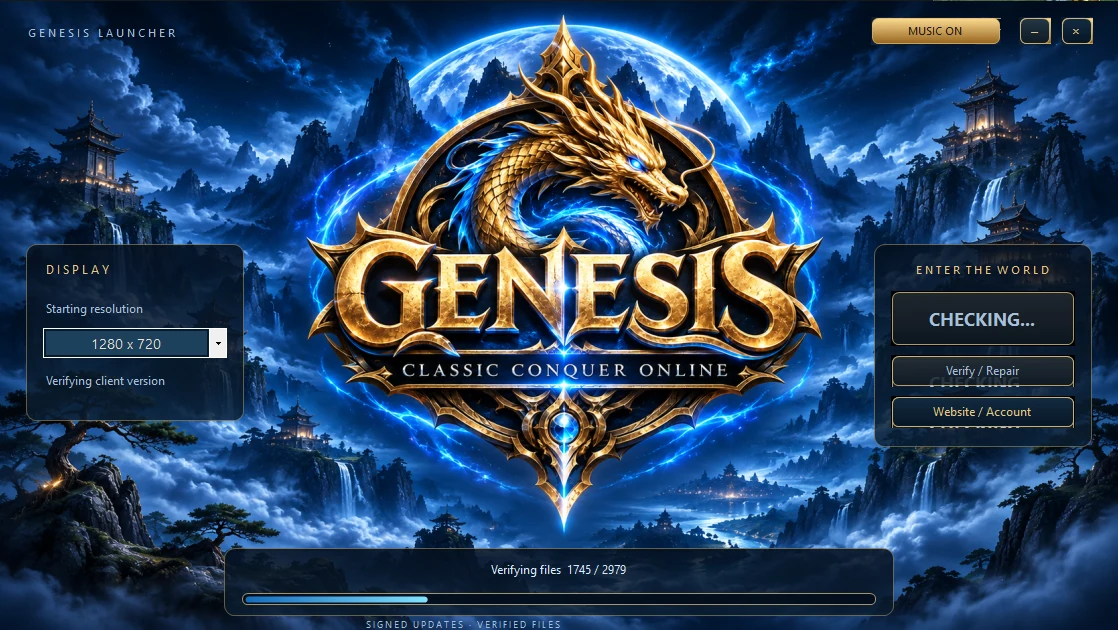 Automatic updates · file verification
Genesis Conquer
The complete client with the launcher, Genesis interface and every file you need to play.
Download gameGenesis Conquer 4351 · ZIPAlready installed? Open the launcher to get the current version automatically.
New here? Create an account →Three steps to play
- 01
Download the client
Get the complete ZIP archive above. A separate Conquer installation is not required.
- 02
Extract and launch
Extract the entire folder to a location of your choice. Run GenesisLauncher.exe and choose your starting resolution.
- 03
Enter the world
Let the launcher verify and update your files, click PLAY, select your server and sign in with your account.
Requirements & display
Windows 10 / 11 · .NET Framework 4.8
An Internet connection is needed for verification and play. Choose your resolution in the launcher, resize the game window and run multiple clients.
Verify / Repair
The launcher repairs game files and downloads the .NET Framework 4.8 installer from Microsoft when needed. Approve the installation if Windows asks.
Download the launcher only and replace the old file in your game folder.
Set the mood
MUSIC ON/OFF controls launcher and login audio. Soundtracks play in shuffled order, and login music fades out as you enter the world.